Choose your pages
Your display works. Now make it show what you care about.
Add ready-made pages
- Pick pages from the template catalog: departures, clock, weather, Uptime Kuma, Home Assistant, AI usage.
- Copy the example of each page into the
pages:list ofconfig.yaml. -
Restart the server:
docker compose restartThe display shows the pages one after another, each for
intervalseconds (default 30).
Use the device page
- Open
http://<display-ip>/in your browser. - Drag the brightness slider: the display follows while you drag. Set a night mode with its own brightness, or completely dark.
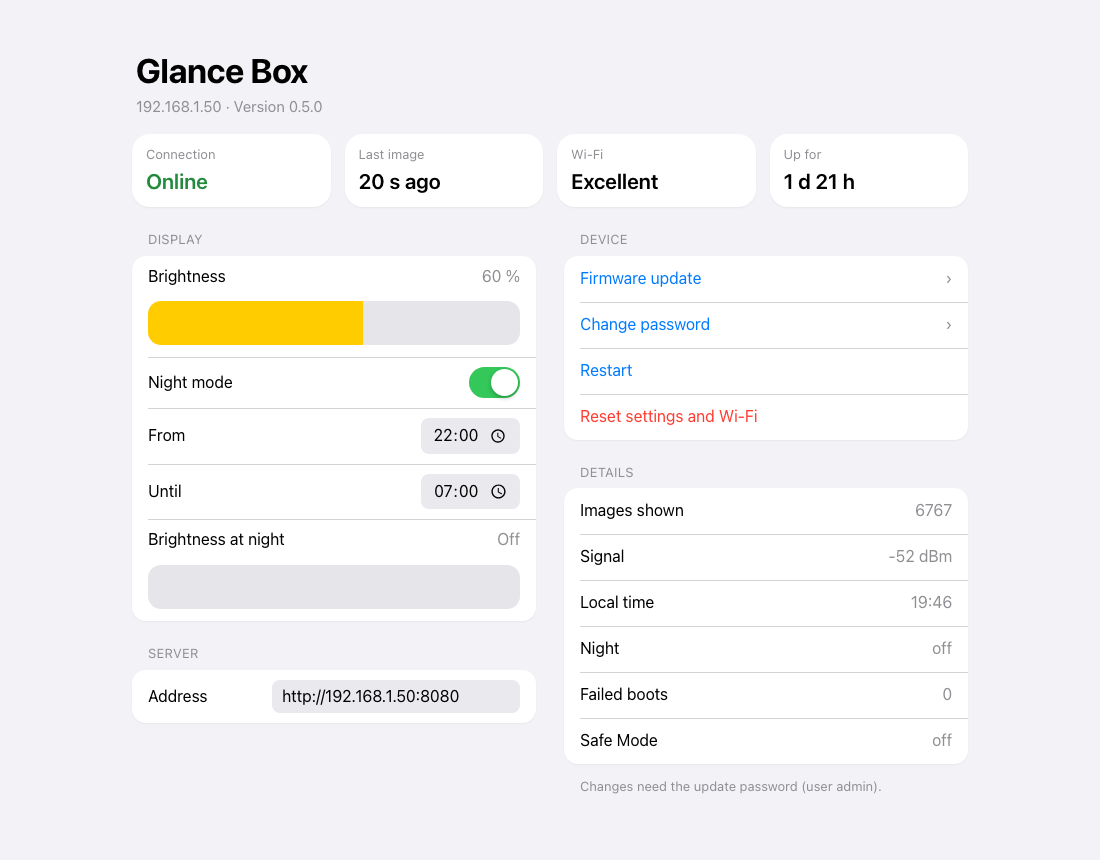
Every change is saved on its own. Details: Device page & night mode.
Where to go next
- Write your own pages in HTML, or show any web page.
- Update the firmware when a new release comes out.
- Something wrong? Recovery explains safe mode and how to get back.